Settings for manual collection
The Metry portal includes settings for manually read metering points that control when readings can be entered in the Metry Readings app and how and when consumption values are calculated based on those readings.
To avoid spending time checking metering points that are not read exactly within the reading period, or metering points that are not read every month, there are also settings that mean you rarely or never need to worry about when a metering point has actually been read - monthly consumption values are still created.
The settings apply to your entire Metry account and all manual metering points you have.
Reading period
These settings control when reading coordinators can start entering meter readings in the Metry Readings app. You set when you expect them to read their meters. It is still possible to enter late readings after the reading period has ended.
If you want metering points read at the beginning of the month, the setting “at the month turnover” is appropriate - this means that from the 1st day of the month, readings can be entered in the Metry Readings app. Even though late readings can be entered after the reading period ends, the Metry Readings app will indicate whether you are within the set reading period or not.
Example
You have the setting that the reading period starts “at the month turnover” and ends “8 days after the month turnover”.
This is what it might look like in the Metry Readings app on the 5th of the month:
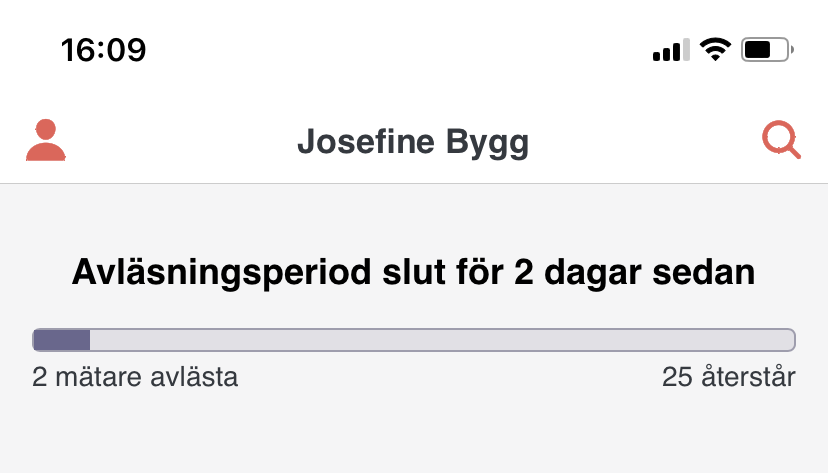
and on the 10th of the month:
Calculation
If you want to be more flexible, you can allow readings to also be entered just before the month turnover by, for example, starting the reading period “2 days before the month turnover”. However, this also requires you to choose when monthly values should be calculated if the reading occurs before the month turnover:
- Choose the option “Immediately” to interpret the reading as having been made exactly at the month turnover, so that the consumption value can be calculated right away.
- Choose the option “When the meter is read next month” for more precise month-by-month consumption, but wait until the next reading before the consumption value is calculated.
Approving monthly values
Sometimes metering points are read more irregularly - perhaps water meters are only read once a year? In these cases, you can choose whether and when to manually approve monthly values in the Metry portal (through interpolation).
- Choose the option “Never” if you want to completely avoid thinking about when metering points are read and do not feel a need to manually approve monthly values. This setting means that consumption values are always calculated automatically between two readings, as far as possible.
- Choose the option “When a meter has not been read for more than X months” if you want to keep track of whether a metering point has not been read for a couple of months. Metering points read less frequently than this interval will be missing monthly values, and you can choose how to handle these. X is the maximum number of months you want to allow between 2 readings.
Read more here about manual readings with Metry or contact support at support@metry.io if you have questions.