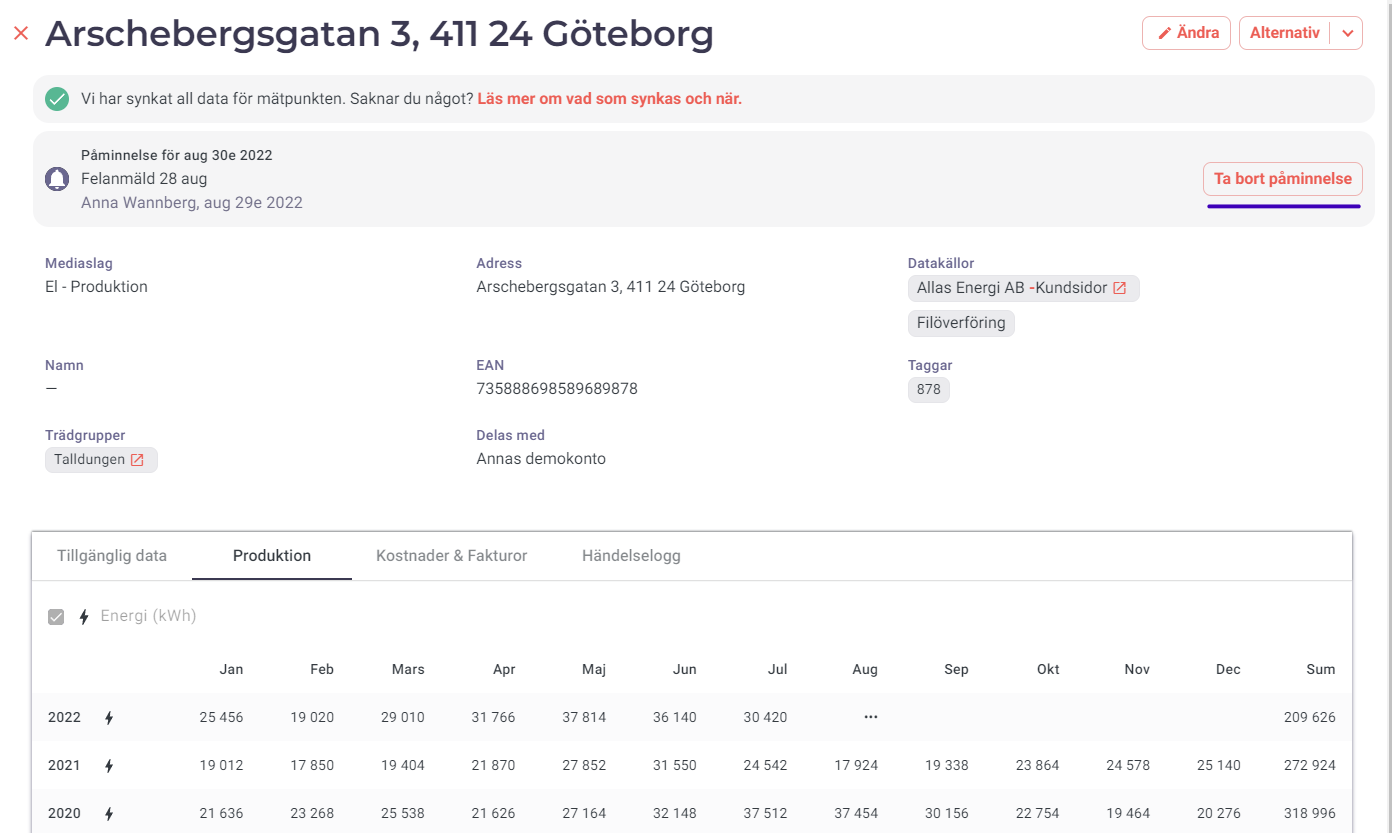
How does 'Add reminder' work?
For Active and Temporarily active metering points, you can set reminders on metering points that you need to remember for various reasons.
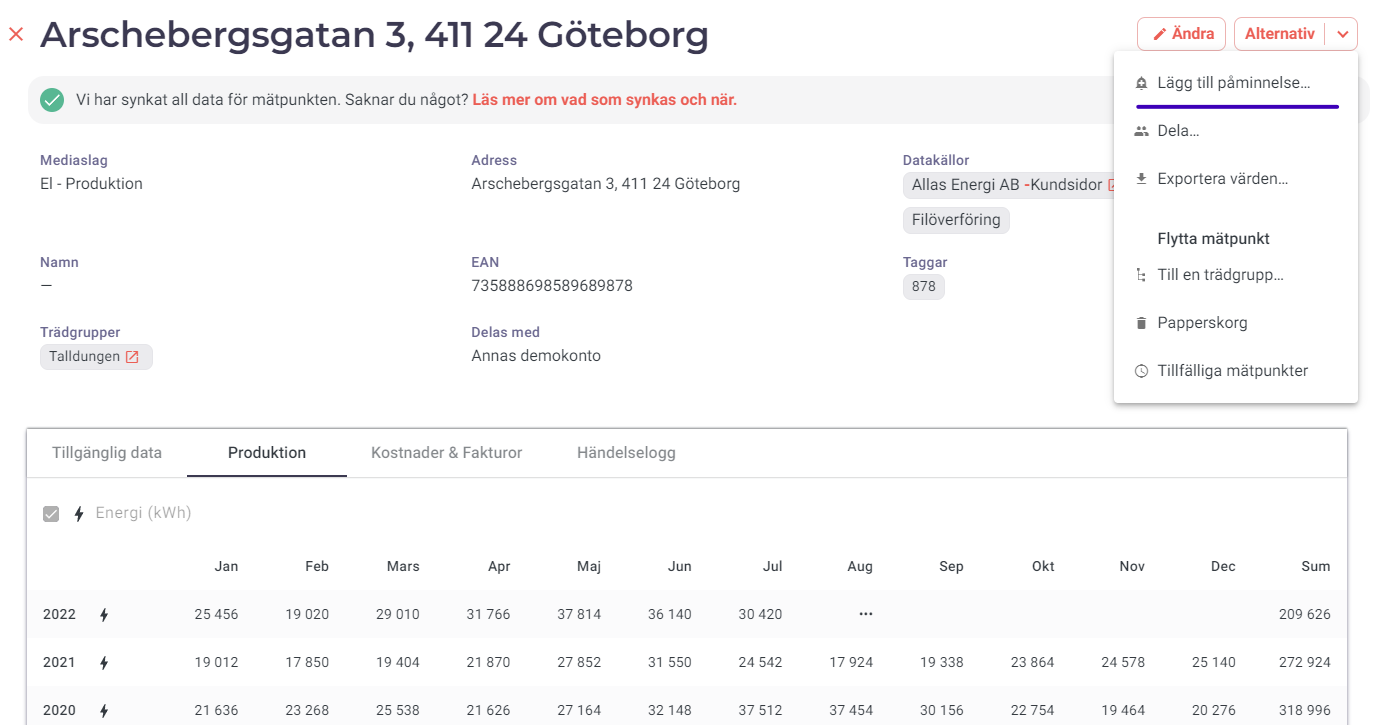
Either do it in the details view of an individual metering point:
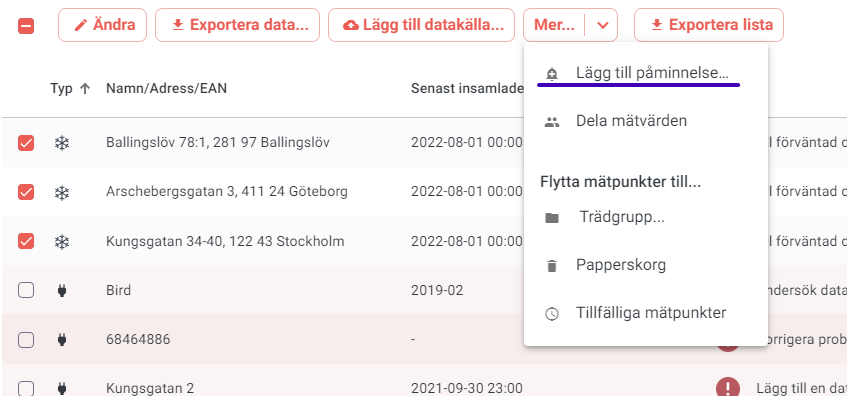
Or you can do it for multiple metering points at once:
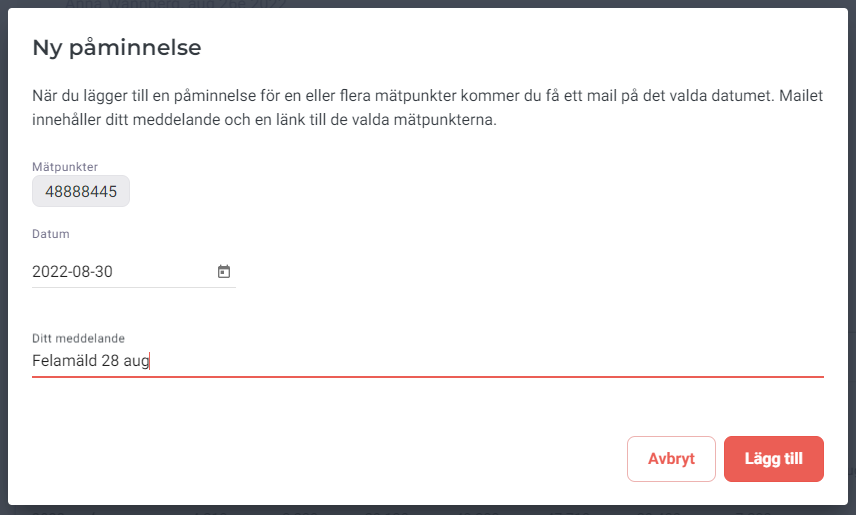
When you add a reminder for one or more metering points, you will receive an email on the selected date. The email contains your message and a link to the selected metering points. The reminder will be sent to the Metry user who created it, but all users can see the reminder in the Metry portal.
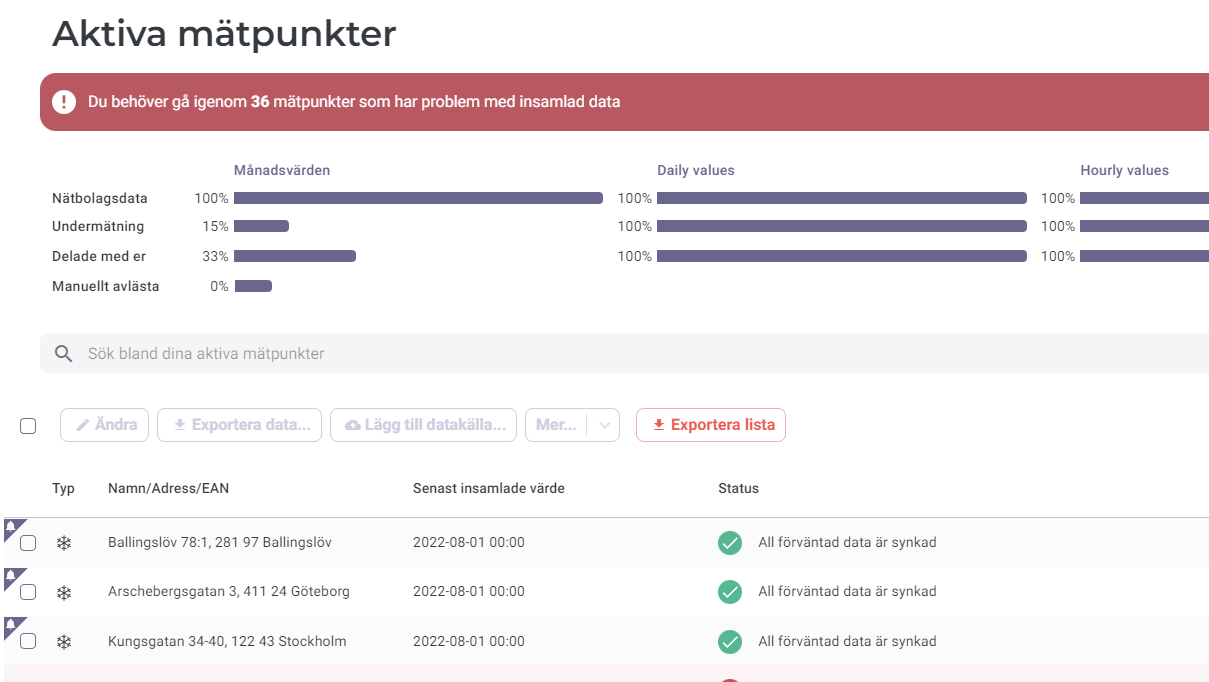
A clock icon will appear to the left in the metering point list for any metering points that have a reminder added.
When you no longer need a reminder and want the clock icon to be hidden again, go to the metering point and select “Remove reminder”.