How do I handle incorrect readings on my sub-meters?
Sometimes you receive incorrect readings from your sub-metering systems. Errors can occur anywhere from when the data was created to when it was transmitted or received — for example through corrupt files, incorrect data interpretation or incorrectly configured gateways.
Regardless of how the error occurred, you can of course fix it directly in Metry’s system.
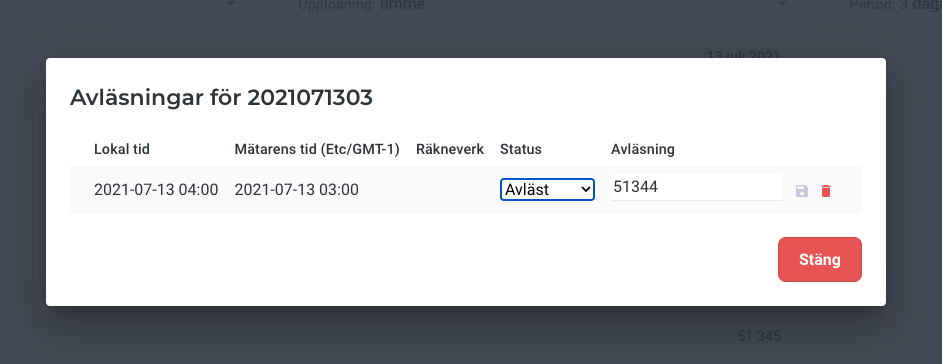
If incorrect readings have come in that you want to remove, this can be done in two ways. If it is individual incorrect values, you can easily remove them in the view showing readings for a single meter by using the red delete icon to the right of the reading.
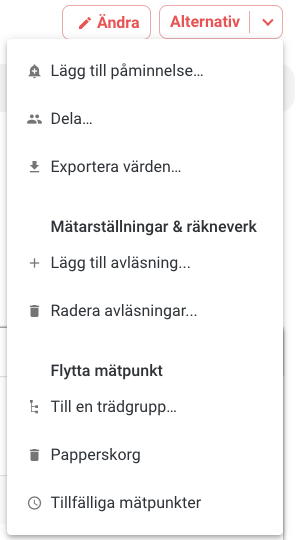
If you have longer periods of incorrect readings, you can instead use the function for deleting periods of readings. You can find this under “Delete Readings” in the “Options” menu in the metering point details view.
With the “Delete Readings” function, you can easily select the first and last reading for the period you want to delete. All readings between these selected readings will be deleted.
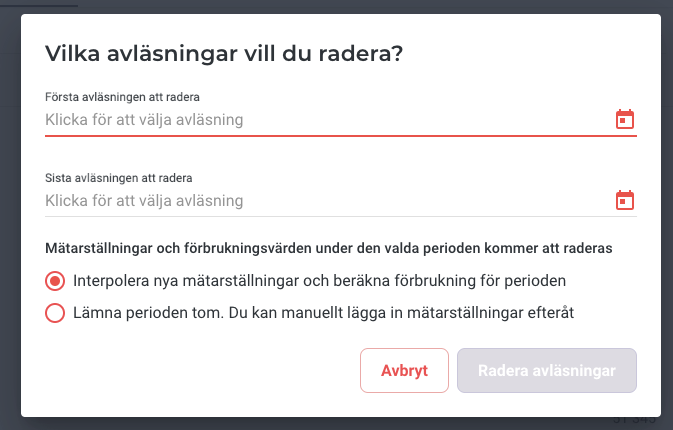
Once you have selected the period for which readings are to be deleted, you can decide whether to leave consumption volumes for the period empty, or whether consumption should be automatically calculated based on meter readings before and after the deleted period.
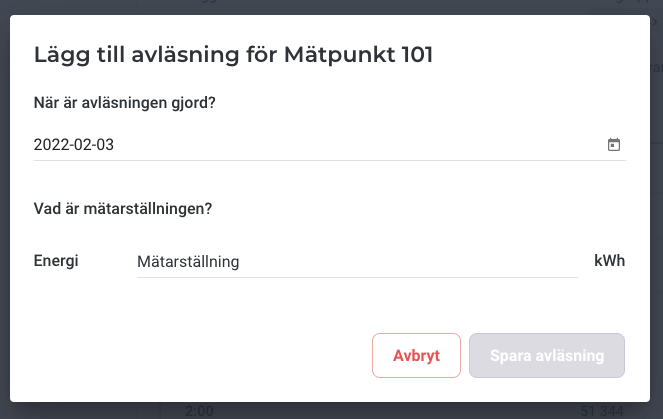
If you are missing readings for a metering point in Metry’s system, or want to add a reading for a metering point where you have deleted data, this function can also be accessed via the “Options” menu. Simply choose “Add reading” and enter the time and value of the reading before clicking “Save reading”.