Collection via files - step by step
Supplement your data collection from utility providers with file transfers. Read more about the benefits here .
How to do it

1. Select metering points
- Open the Metry portal and go to Metering points > Active Metering Points.
- Choose to display the list in the Collected data view to more easily see what is being collected.
- Filter by utility provider and energy type (electricity, heat, or district cooling) for which you want to order collection via file. Use the filter Collection method: Only from customer portals to exclude metering points that already receive data via file transfer.
- Check the metering points you want to supplement with file transfer. There is currently a limit of 50 metering points per order. Contact support@metry.io if you want to order more than that.
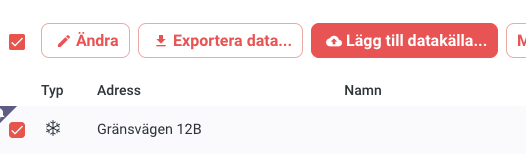
- Click the Add data source… button above the metering point list to start the order.
2. Follow the steps in the guide
A guide with four simple steps will appear for you to complete your order.
Step 1. Select the purpose of the order, i.e. whether you want to collect monthly values or hourly values. You can only select the hourly values option if it is enabled on your Metry account.
Step 2. Grant us the rights to collect your data.
Utility providers require that we have a power of attorney from each metering point’s subscriber to send files to us. The first time you place an order, we will help you create this power of attorney in one of three ways:
- Digitally signed power of attorney - fill in your organization details and authorized signatory, and we will create a power of attorney that is digitally signed with BankID.
- Download our power of attorney template . Fill it in and have the authorized signatory sign it. Then upload a scanned signed copy in this step of the guide.
- Use your own power of attorney that grants Metry the same rights as mentioned in our template .
Once you have uploaded or created a power of attorney, it is available to reuse for future orders.
Digital signing. Fill in the details in the form if you chose the digital signing option. You can reuse a digitally signed power of attorney for your next order.
Step 3. Some utility providers require documents to support the power of attorney, such as a copy of the organization’s registration certificate. You can read more about this here. In this step too, you can reuse a document you uploaded in a previous order.
Step 4. Review the summary of your selections and confirm the order by clicking Order.
3. Done!
We will now process your order and contact the utility provider. Processing times at utility providers vary from a few days to a few weeks. We monitor your order throughout the process and remind utility providers if they do not respond within a reasonable time.
As soon as the file transfer is set up and we see that files are coming in, we will notify you.
We initiate your file-based collection by manually contacting the utility provider and asking them to set up file transfers to us. You need to place one order per utility provider and energy type, as utility providers typically have different contact persons for different energy types.
———-
Exceptions
If you select metering points from more than one utility provider or of more than one energy type, you will be asked to choose which one you want to start ordering for.